
Mozilla Builders: Celebrating community-driven innovation in AI
This year, we celebrated a major milestone: the first Mozilla Builders demo day! More than just a tech event, it was a celebration of creativity, community and bold thinking. With nearly 200 applicants from more than 40 countries, 14 projects were selected for the Builders accelerator, showcasing the diversity and talent shaping the future of AI. Their presentations at demo day demonstrated their innovative visions and impactful ideas. The projects on display weren’t just about what’s next in AI; they showed us what’s possible when people come together to create technology that truly works for everyone – inclusive, responsible and built with trust at its core.
Mozilla’s approach to innovation has always focused on giving people more agency in navigating the digital world. From standing up to tech monopolies to empowering developers and everyday users, to building in public, learning through collaboration, and iterating in community, we’ve consistently prioritized openness, user choice, and community. Now, as we navigate a new era of technological disruption, we aim to bring those same values to AI.
Mozilla Builders is all about supporting the next wave of AI pioneers – creators building tools that anyone can use to shape AI in ways we can all trust. This year’s accelerator theme was local AI: technology that runs directly on devices like phones or computers, empowering users with transparent systems they control. These specialized models and applications preserve privacy, reduce costs and inspire creative solutions.
As we reflect on this year and look to the future, we’re inspired by what these creators are building and the values they bring to their work.
Real-world AI solutions that help everyday peopleAI doesn’t have to be abstract or overwhelming. The projects we’re supporting through Mozilla Builders prove that AI can make life better for all of us in practical and tangible ways. Take Pleias, Ersilia and Sartify, for example.
Pleias, with its latest research assistant Scholastic AI, is making waves with its commitment to open data in France. This mission-driven approach not only aligns with Mozilla’s values but also highlights the global impact of responsible AI. At demo day, Pleias announced the release of Pleias 1.0, a groundbreaking suite of models trained entirely on open data — including Pleias-3b, Pleias-1b and Pleias-350m — built on a 2 trillion-token dataset, Common Corpus. Ersilia is another standout, bringing AI models and tools for early state drug discovery to scientific communities studying infectious diseases in the Global South. Sartify has demonstrated the critical importance of compute access for innovators in the Global Majority with PAWA, its Swahili-language assistant built on its own Swahili-langugage models.
These projects show what it looks like when AI is built to help people. And that’s what we’re all about at Mozilla – creating technology that empowers.
Empowering developers to build tools that inspire and innovateAI isn’t just for end-users – it’s for the people building our tech, too. That’s why we’re excited about projects like Theia IDE, Transformer Lab and Open WebUI.
Theia IDE gives developers full control of their AI copilots, enabling local AI solutions like Mozilla’s llamafile version of Starcoder2 to be used for various programming tasks, while Transformer Lab is creating flexible tools for machine learning experimentation. Together, these projects highlight the power of open-source tools to advance the field of computer programming, while also making advanced capabilities more seamlessly integrated into development workflows.
Open WebUI further simplifies the development process for AI applications, demonstrating the immense potential of AI tools driven by community and technical excellence.
The future of AI creativity that bridges art, science and beyondSome of the projects from this year’s cohort are looking even further ahead, exploring how AI can open new doors in data and simulation. Two standouts are Latent Scope and Tölvera. Latent Scope has a unique approach to make unstructured data – like survey responses and customer feedback – more understandable. It offers a fresh perspective on how data can be visualized and used to find hidden insights in information.
Tölvera, on the other hand, is bridging disciplines like art and science to redefine how we think about AI, and even artificial life forms. With this multidisciplinary perspective, the creator behind Tölvera has developed visually stunning simulations that explore alternative models of intelligence – a key area for next-generation AI. Based in Iceland, Tölvera’s brings a global perspective that highlights the intersectional vision of Mozilla Builders.
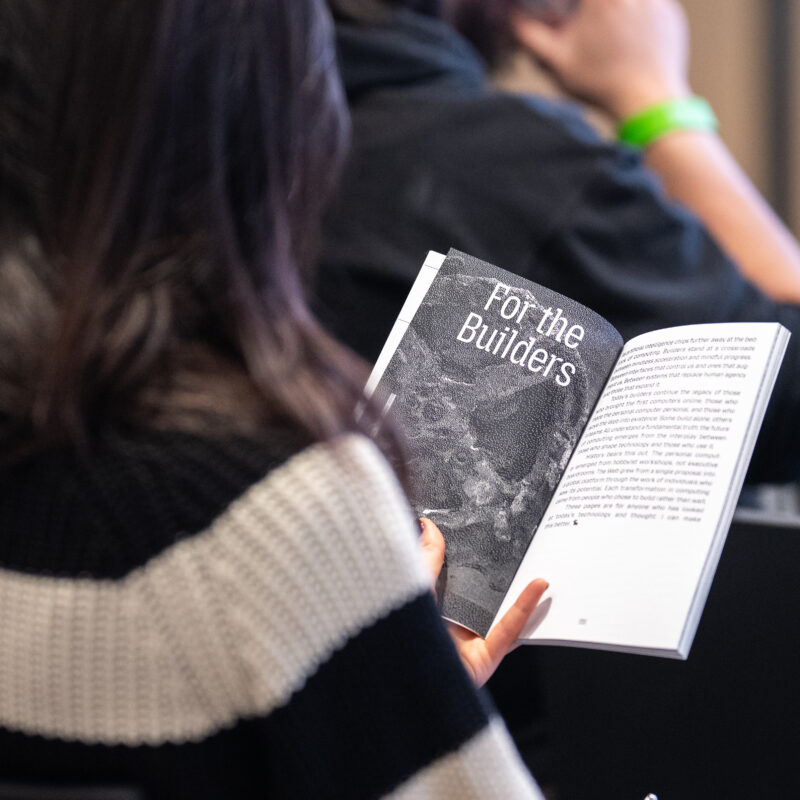
We also created a zine called “What We Make It,” which captures this pivotal moment in computing history. Taking inspiration from seminal works like Ted Nelson‘s “Computer Lib / Dream Machines,” it weaves together analysis, philosophical reflection, and original artwork to explore fundamental questions about the purpose of technology and the diverse community of creators shaping its future.
Mozilla Builders’ role in open-source AI innovation starts with communityOne of the things that makes Mozilla special is our community-centered approach to AI. This year, collaborations like Llamafile and Mozilla Ventures companies Plastic Labs and Themis AI also joined the accelerator cohort members at demo day, showcasing the broad range of perspectives across Mozilla’s investments in open, local AI. Transformer Lab’s integration with the new Llamafile API highlights how these tools complement one another to create something even greater. Llamafile runs on devices of all sizes and costs, as demonstrated at the demo day science fair. Attendees loved playing with our open-source AI technology on an Apple II.
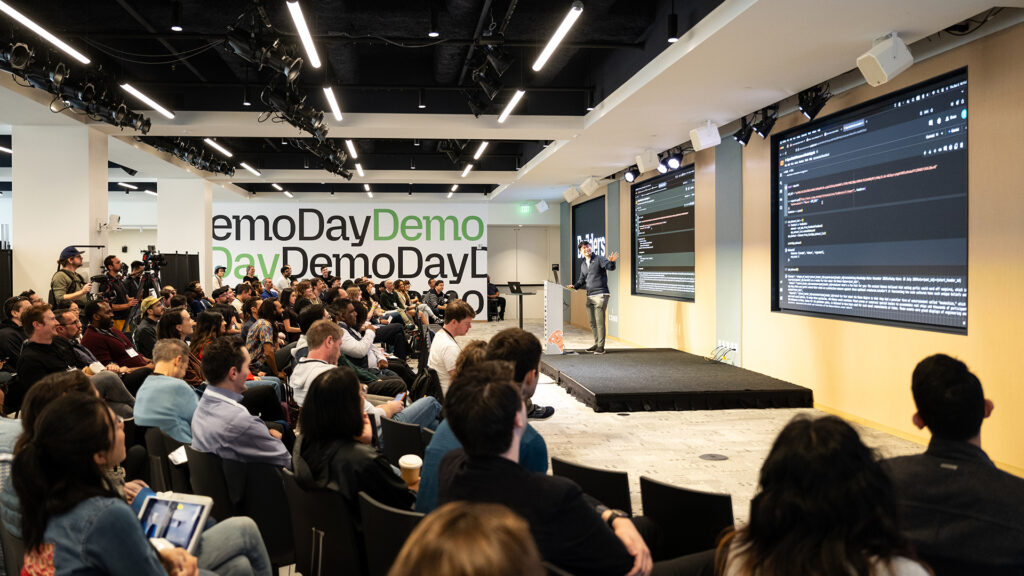 Mozilla Builders demo day, December 5, 2024 in San Francisco
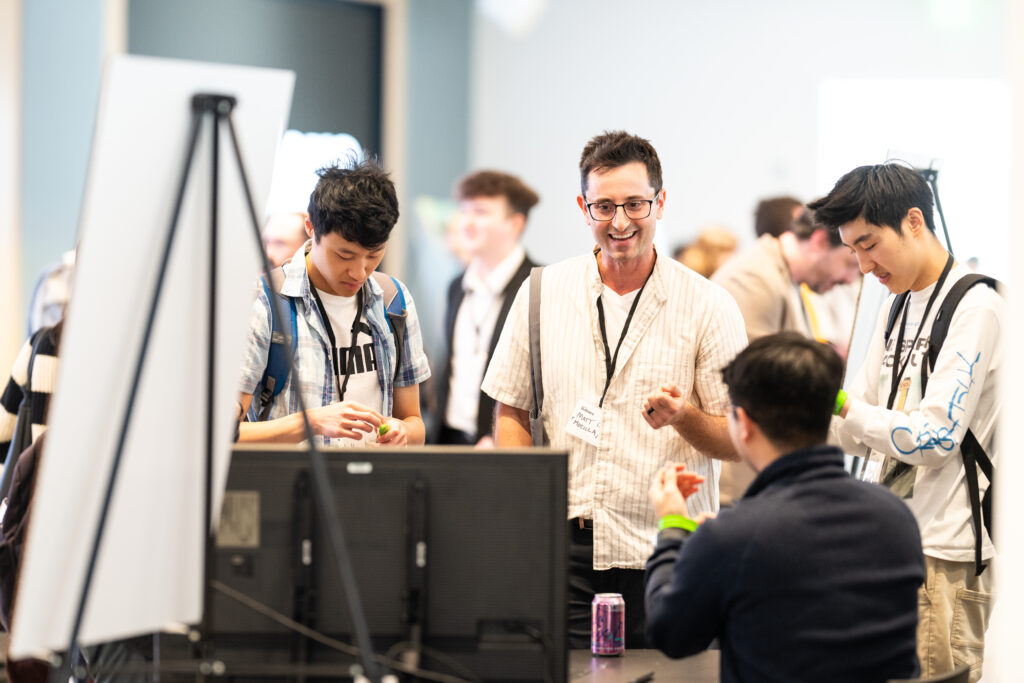 Mozilla Builders demo day, December 5, 2024 in San Francisco
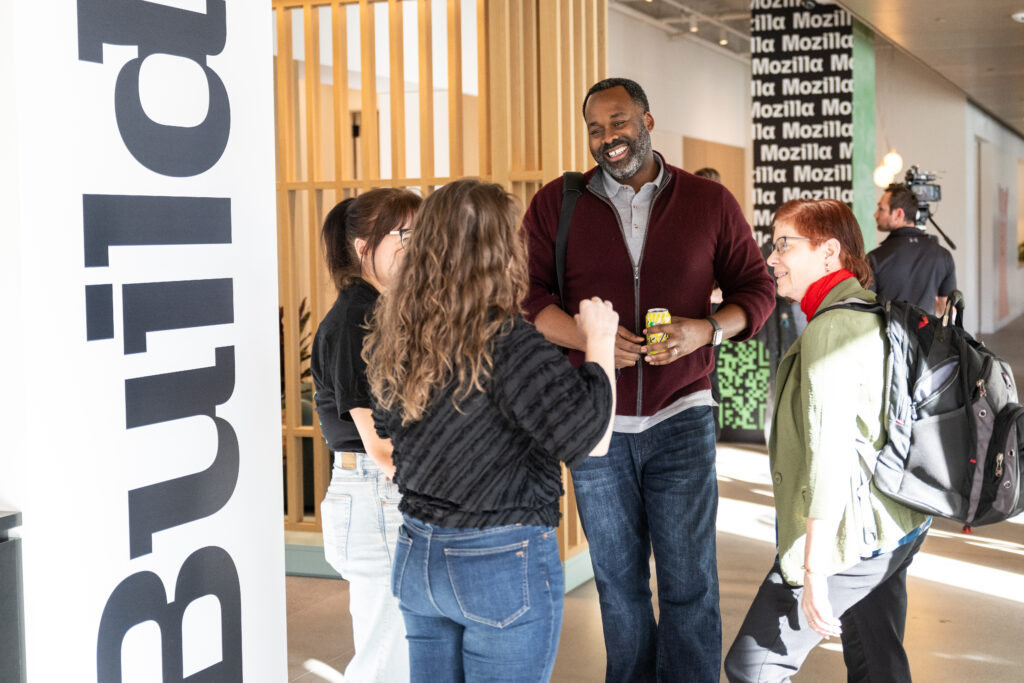 Mozilla Builders demo day, December 5, 2024 in San Francisco
And let’s not forget the Mozilla AI Discord community, which has become a place for thousands of developers and technologists working with open-source AI. This year, we hosted over 30 online events on the Mozilla AI stage, attracting around 400 live attendees. What started as an online hub for creators to share ideas evolved into an in-person forum connection at demo day. Seeing those relationships come to life was a highlight of the year and a reminder of what’s possible when we work together.
Follow the Mozilla Builders leading the way in AIWe’re thrilled to introduce the new Builders brand and website. We deeply believe that the new brand not only communicates what we build but also shapes how we build and who builds with us. We hope you find it similarly inspiring! On the site, you’ll find technical analyses, perspective pieces, and walkthroughs, with much more to come in the next month.
Mozilla has a long history of empowering individuals and communities through open technology. The projects from this year’s cohort – and the vision driving them – stand as a testament to what’s possible when community, responsibility and innovation intersect. Together, we’re shaping an AI future that empowers everyone, and we can’t wait to see what’s next in 2025 and beyond.
 Discover the future with Mozilla Builders Dive in and join the conversation today
The post Mozilla Builders: Celebrating community-driven innovation in AI appeared first on The Mozilla Blog.
Mozilla welcomes new executive team members
I am excited to announce that three exceptional leaders are joining Mozilla to help drive the continued growth of Firefox and increase our systems and infrastructure capabilities.
For Firefox, Anthony Enzor-DeMeo will serve as Senior Vice President of Firefox, and Ajit Varma will take on the role of our new Vice President of Firefox Product. Both bring with them a wealth of experience and expertise in building product organizations, which is critical to our ongoing efforts to expand the impact and influence of Firefox.
The addition of these pivotal roles comes on the heels of a year full of changes, successes and celebrations for Firefox — leadership transitions, mobile growth, impactful marketing campaigns in both North America and Europe and the marking of 20 years of being the browser that prioritizes privacy and millions of people choose daily.
As Firefox Senior Vice President, Anthony will oversee the entire Firefox organization and drive overall business growth. This includes supporting our back-end engineering efforts and setting the overall direction for Firefox. In his most recent role as Chief Product and Technology Officer at Roofstock, Anthony led the organization through a strategic acquisition that greatly enhanced the product offering. He also served as Chief Product Officer at Better, and as General Manager, Product, Engineering & Design at Wayfair. Anthony is a graduate of Champlain College in Vermont, and has an MBA from the Sloan School at MIT.
In his role as Vice President of Firefox Product, Ajit will lead the development of the Firefox strategy, ensuring it continues to meet the evolving needs of current users, as well as those of the future. Ajit has years of product management experience from Square, Google, and most recently, Meta, where he was responsible for monetization of WhatsApp and overseeing Meta’s business messaging platform. Earlier in his career, he was a co-founder and CEO of Adku, a venture-funded recommendation platform that was acquired by Groupon. Ajit has a BS from the University of Texas at Austin.
We are also adding to our infrastructure leadership. As Senior Vice President of Infrastructure, Girish Rao is responsible for Platform Services, AI/ML Data Platform, Core Services & SRE, IT Services and Security, spanning Corporate and Product technology and services. His focus is on streamlining tools and services that enable teams to deliver products efficiently and securely.
Previously, Girish led the Platform Engineering and Operations team at Warner Bros Discovery for their flagship streaming product Max. Prior to that, he led various digital transformation initiatives at Electronic Arts, Equinix Inc and Cisco. Girish’s professional journey spans various market domains (OTT streaming, gaming, blockchain, hybrid cloud data center, etc) where he leveraged technology to solve large scale complex problems to meet customer and business outcomes.
We are thrilled to add to our team leaders who share our passion for Mozilla, and belief in the principles of our Manifesto — that the internet is a vital public resource that must remain open, accessible, and secure, enriching individuals’ lives and prioritizing their privacy.
The post Mozilla welcomes new executive team members appeared first on The Mozilla Blog.
Jay-Ann Lopez, founder of Black Girl Gamers, on creating safe spaces in gaming
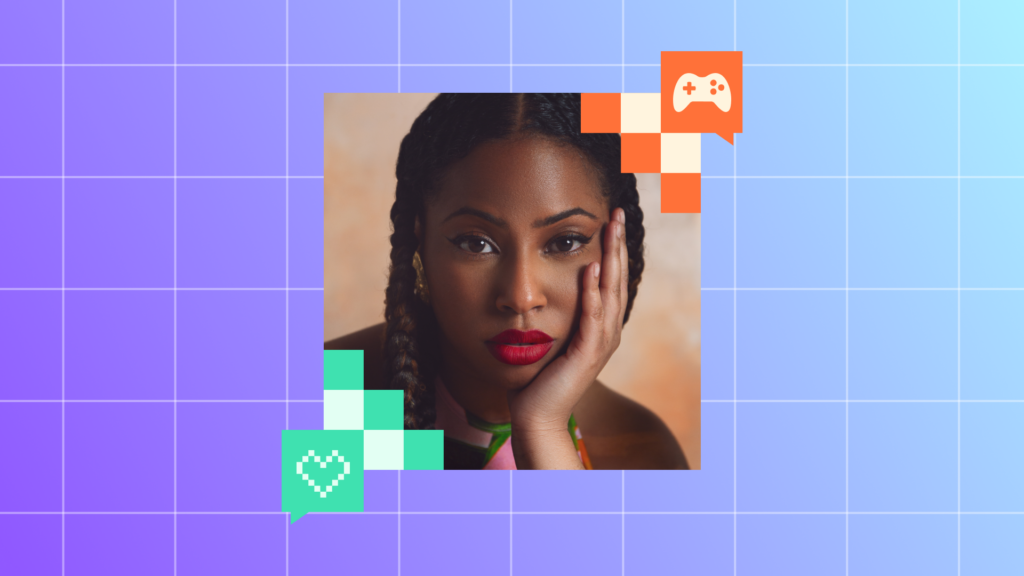 Jay-Ann Lopez, founder of Black Girl Gamers, a group of 10,000+ black women around the world with a shared passion for gaming.
Here at Mozilla, we are the first to admit the internet isn’t perfect, but we know the internet is pretty darn magical. The internet opens up doors and opportunities, allows for human connection, and lets everyone find where they belong — their corners of the internet. We all have an internet story worth sharing. In My Corner Of The Internet, we talk with people about the online spaces they can’t get enough of, the sites and forums that shaped them, and what reclaiming the internet really looks like.
This month, we caught up with Jay-Ann Lopez, founder of Black Girl Gamers, a group of 10,000+ black women around the world with a shared passion for gaming. We talked to her about the internet rabbit holes she loves diving into (octopus hunting, anyone?), her vision for more inclusive digital spaces, and what it means to shape a positive online community in a complex industry.
What is your favorite corner of the internet?Definitely Black Girl Gamers! It’s a community-focused company and agency housing the largest network of Black women gamers. We host regular streams on Twitch, community game nights, and workshops that are both fun and educational—like making games without code or improving presentation skills. We’ve also established clear community guidelines to make it a positive, safe space, even for me as a founder. Some days, I’m just there as another member, playing and relaxing.
Why did you start Black Girl Gamers?In 2005, I was gaming on my own and wondered where the other Black women gamers were. I created a gaming channel but felt isolated. So I decided to start a group, initially inviting others as moderators on Facebook. We’ve since grown into a platform that centers Black women and non-binary gamers, aiming not only to build a safe community but to impact the gaming industry to be more inclusive and recognize diverse gamers as a core part of the audience.
What is an internet deep dive that you can’t wait to jump back into?I stumbled upon this video on octopuses hunting with fish, and it’s stayed on my mind! Animal documentaries are a favorite of mine, and I often dive into deep rabbit holes about ecosystems and how human activity affects wildlife. I’ll be back in the octopus rabbit hole soon, probably watching a mix of YouTube and TikTok videos, or wherever the next related article takes me.
What is the one tab you always regret closing?Not really! I regret how long I keep tabs open more than closing them. They stick around until they’ve done their job, so there’s no regret when they’re finally gone.
What can you not stop talking about on the internet right now?Lately, I’ve been talking about sustainable fashion—specifically how the fashion industry disposes of clothes by dumping them in other countries. I think of places like Ghana where heaps of our waste end up on beaches. Our consumer habits drive this, but we’re rarely mindful of what happens to clothes once we’re done with them. I’m also deeply interested in the intersection of fashion, sustainability, and representation in gaming.
What was the first online community you engaged with?Black Girl Gamers was my first real community in the sense of regular interaction and support. I had a platform before that called ‘Culture’ for natural hair, which gained a following, but it was more about sharing content rather than having a true community feel. Black Girl Gamers feels like a true community where people chat daily, play together, and share experiences.
If you could create your own corner of the internet, what would it look like?I’d want a space that combines community, education, and events with opportunities for growth. It would blend fun and connection with a mission to improve and equalize the gaming industry, allowing gamers of all backgrounds to feel valued and supported.
What articles and/or videos are you waiting to read/watch right now?There’s a Vogue documentary that’s been on my watchlist for a while! Fashion and beauty are big passions of mine, so I’m looking forward to finding time to dive into it.
How has building a community for Black women gamers shaped your experience online as both a creator and a user?Building Black Girl Gamers has shown me the internet’s positive side, especially in sharing culture and interests. But being in a leadership role in an industry that has been historically sexist and racist also means facing targeted harassment from people who think we don’t belong. The work I do brings empowerment, but there’s also a constant pushback, especially in the gaming space, which can make it challenging. It’s a dual experience—immensely rewarding but sometimes exhausting.
Jay-Ann Lopez is the award-winning founder of Black Girl Gamers, a community-powered platform advocating for diversity and inclusion while amplifying the voices of Black women. She is also an honorary professor at Norwich University of the Arts, a member and judge for BAFTA, and a sought-after speaker and entrepreneur.
In 2023, Jay-Ann was featured in British Vogue as a key player in reshaping the gaming industry and recognized by the Institute of Digital Fashion as a Top 100 Innovator. She speaks widely on diversity in entertainment, tech, fashion and beauty and has presented at major events like Adweek, Cannes Lion, E3, PAX East and more. Jay-Ann also curates content for notable brands including Sofar Sounds x Adidas, WarnerBros, SEGA, Microsoft, Playstation, Maybelline, and YouTube, and co-produces Gamer Girls Night In, the first women and non-Binary focused event that combines gaming, beauty and fashion.
The post Jay-Ann Lopez, founder of Black Girl Gamers, on creating safe spaces in gaming appeared first on The Mozilla Blog.
Reclaim the internet: Mozilla’s rebrand for the next era of tech
Mozilla isn’t just another tech company — we’re a global crew of activists, technologists and builders, all working to keep the internet free, open and accessible. For over 25 years, we’ve championed the idea that the web should be for everyone, no matter who you are or where you’re from. Now, with a brand refresh, we’re looking ahead to the next 25 years (and beyond), building on our work and developing new tools to give more people the control to shape their online experiences .
“As our personal relationships with the internet have evolved, so has Mozilla’s, developing a unique ability to meet this moment and help people regain control over their digital lives,” said Mark Surman, president of Mozilla. “Since open-sourcing our browser code over 25 years ago, Mozilla’s mission has been the same – build and support technology in the public interest, and spark more innovation, more competition and more choice online along the way. Even though we’ve been at the forefront of privacy and open source, people weren’t getting the full picture of what we do. We were missing opportunities to connect with both new and existing users. This rebrand isn’t just a facelift — we’re laying the foundation for the next 25 years.”
We teamed up with global branding powerhouse Jones Knowles Ritchie (JKR) to revamp our brand and revitalize our intentions across our entire ecosystem. At the heart of this transformation is making sure people know Mozilla for its broader impact, as well as Firefox. Our new brand strategy and expression embody our role as a leader in digital rights and innovation, putting people over profits through privacy-preserving products, open-source developer tools, and community-building efforts.
The Mozilla brand was developed with this in mind, incorporating insights from employees and the wider Mozilla community, involving diverse voices as well as working with specialists to ensure the brand truly represented Mozilla’s values while bringing in fresh, objective perspectives.
We back people and projects that move technology, the internet and AI in the right direction. In a time of privacy breaches, AI challenges and misinformation, this transformation is all about rallying people to take back control of their time, individual expression, privacy, community and sense of wonder. With our “Reclaim the Internet” promise, a strategy built with DesignStudio in 2023, the new brand empowers people to speak up, come together and build a happier, healthier internet — one where we can all shape how our lives, online and off, unfold.

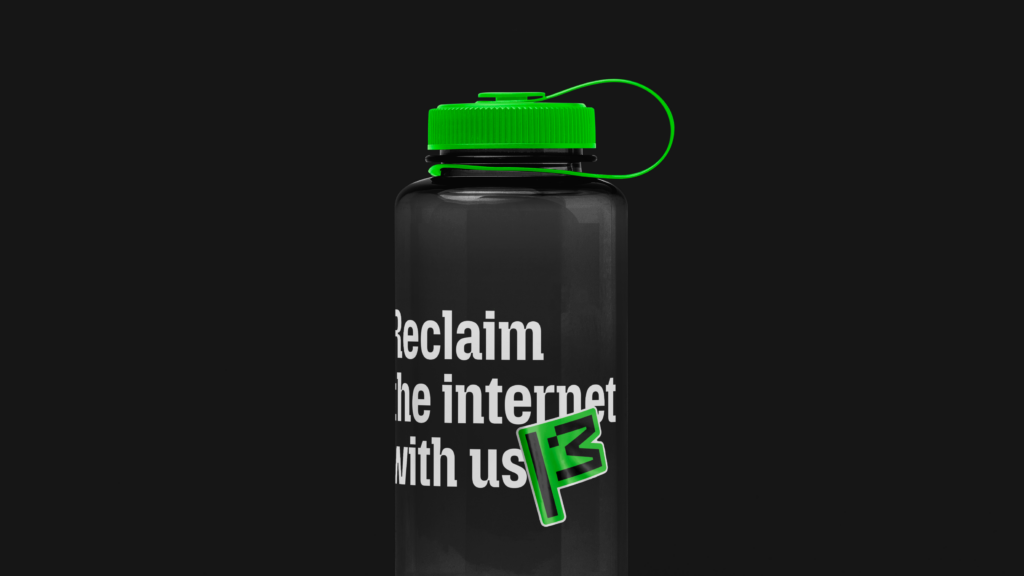
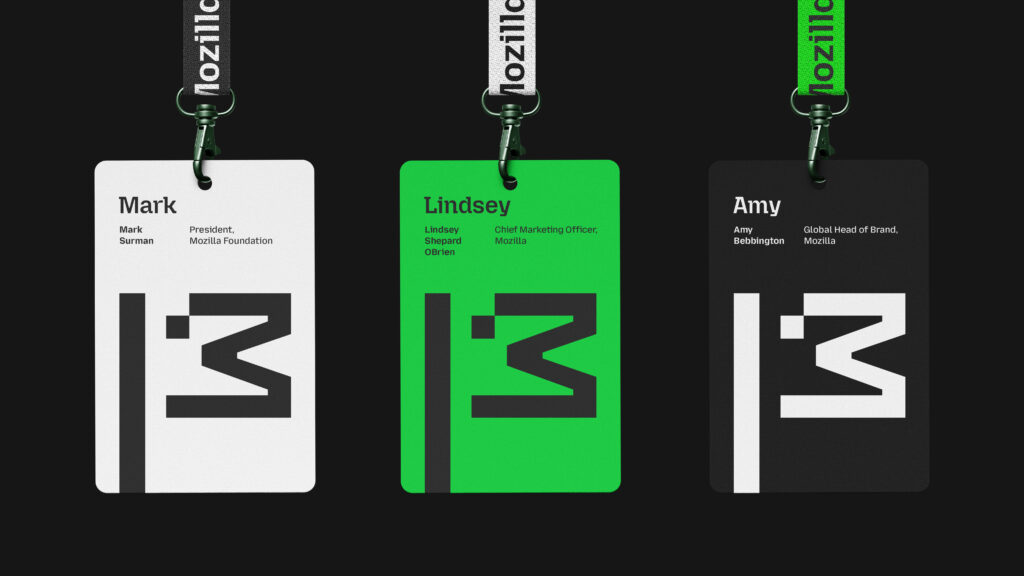
“The new brand system, crafted in collaboration with JKR’s U.S. and UK studios, now tells a cohesive story that supports Mozilla’s mission,” said Amy Bebbington, global head of brand at Mozilla. “We intentionally designed a system, aptly named ‘Grassroots to Government,’ that ensures the brand resonates with our breadth of audiences, from builders to advocates, changemakers to activists. It speaks to grassroots coders developing tools to empower users, government officials advocating for better internet safety laws, and everyday consumers looking to reclaim control of their digital lives.”
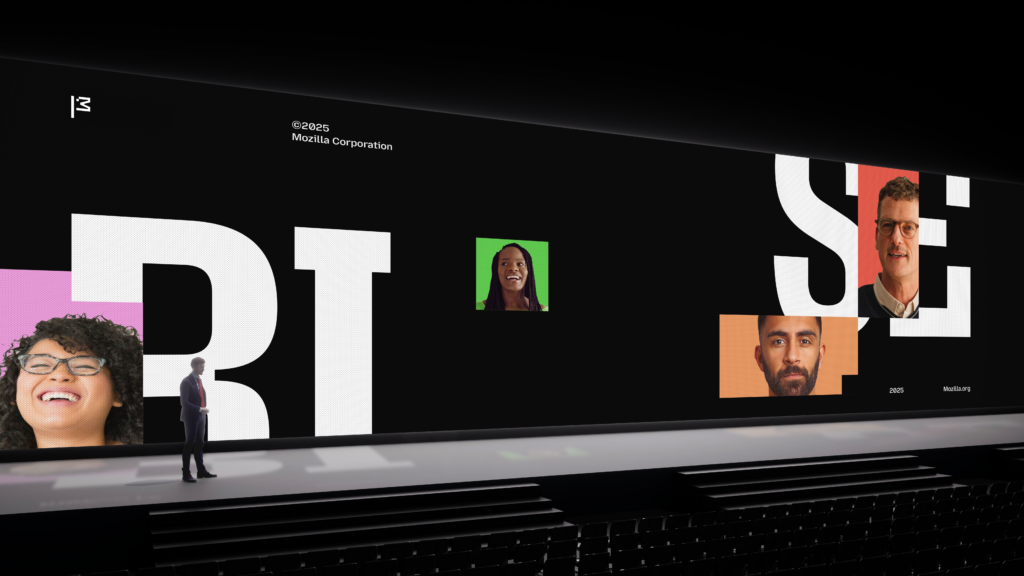
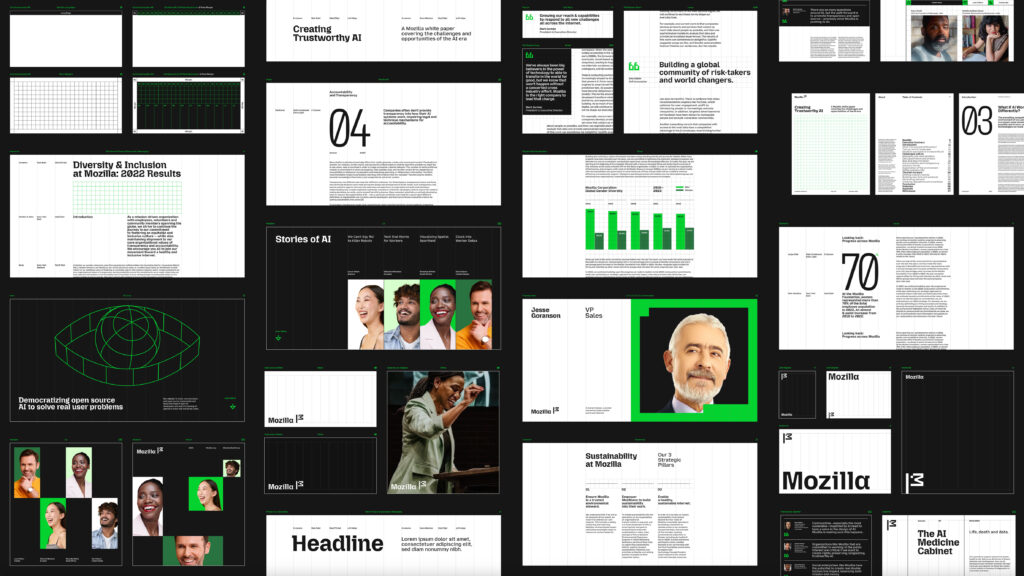
This brand refresh pulls together our expanding offerings, driving growth and helping us connect with new audiences in meaningful ways. It also funnels resources back into the research and advocacy that fuel our mission.
- The flag symbol highlights our activist spirit, signifying a commitment to ‘Reclaim the Internet.’ A symbol of belief, peace, unity, pride, celebration and team spirit—built from the ‘M’ for Mozilla and a pixel that is conveniently displaced to reveal a wink to its iconic Tyrannosaurus rex symbol designed by Shepard Fairey. The flag can transform into a more literal interpretation as its new mascot in ASCII art style, and serve as a rallying cry for our cause.
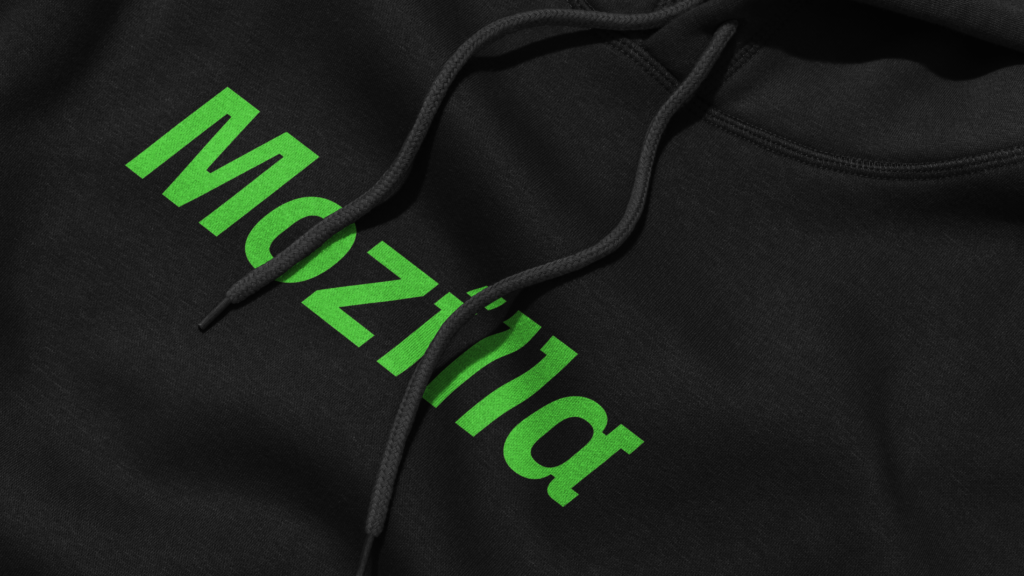
- The bespoke wordmark is born of its semi-slab innovative typeface with its own custom characters. It complements its symbol and is completely true to Mozilla.
- The colors start with black and white — a no-nonsense, sturdy base, with a wider green palette that is quintessential with nature and nonprofits that make it their mission to better the world, this is a nod to making the internet a better place for all.
- The custom typefaces are bespoke and an evolution of its Mozilla slab serif today. It stands out in a sea of tech sans. The new interpretation is more innovative and built for its tech platforms. The sans brings character to something that was once hard working but generic. These fonts are interchangeable and allow for a greater degree of expression across its brand experience, connecting everything together.
- Our new unified brand voice makes its expertise accessible and culturally relevant, using humor to drive action.
- Icons inspired by the flag symbol connect to the broader identity system. Simplified layouts use a modular system underpinned by a square pixel grid.
“Mozilla isn’t your typical tech brand; it’s a trailblazing, activist organization in both its mission and its approach,” said Lisa Smith, global executive creative director at JKR. “The new brand presence captures this uniqueness, reflecting Mozilla’s refreshed strategy to ‘reclaim the internet.’ The modern, digital-first identity system is all about building real brand equity that drives innovation, acquisition and stands out in a crowded market.”
Our transition to the new brand is already underway, but we’re not done yet. We see this brand effort as an evolving process that we will continue to build and iterate on over time, with all our new efforts now aligned to this refreshed identity. This evolution brings advancements in AI, product growth and support for groundbreaking ventures. Stay tuned for upcoming campaigns and find out more at www.mozilla.org/en-US/
Curious to learn more about this project or JKR? Head over to www.jkrglobal.com.
The post Reclaim the internet: Mozilla’s rebrand for the next era of tech appeared first on The Mozilla Blog.
Using trusted execution environments for advertising use cases
This article is the next in a series of posts we’ll be doing to provide more information on how Anonym’s technology works. We started with a high level overview, which you can read here.
Mozilla acquired Anonym over the summer of 2024, as a key pillar to raise the standards of privacy in the advertising industry. These privacy concerns are well documented, as described in the US Federal Trade Commission’s recent report. Separate from Mozilla surfaces like Firefox, which work to protect users from invasive data collection, Anonym is ad tech infrastructure that focuses on improving privacy measures for data commonly shared between advertisers and ad networks. A key part of this process is where that data is sent and stored. Instead of advertisers and ad networks sharing personal user data with each other, they encrypt it and send it to Anonym’s Trusted Execution Environment. The goal of this approach is to unlock insights and value from data without enabling the development of cross-site behavioral profiles based on user-level data.
A trusted execution environment (TEE) is a technology for securely processing sensitive information in a way that protects code and data from unauthorized access and modification. A TEE can be thought of as a locked down environment for processing confidential information. The term enclave refers to the secure memory portion of the trusted execution environment.
Why TEEs?
TEEs improve on standard compute infrastructure due to:
- Confidentiality – Data within the TEE is encrypted and inaccessible outside the TEE, even if the underlying system is compromised. This ensures that sensitive information remains protected.
- Attestation – TEEs can provide cryptographic proof of their identity and the code they intend to execute. This allows other parts of the system to verify that the TEE is trustworthy before interacting with it and ensures only authorized code will process sensitive information.
Because humans can’t access TEEs to manipulate the code, Anonym’s system requires that all the operations that must be performed on the data be programmed in advance. We do not support arbitrary queries or real-time data manipulation. While that may sound like a drawback, it offers two material benefits. First, it ensures that there are no surprises. Our partners know with certainty how their data will be processed. Anonym and its partners cannot inadvertently access or share user data. Second, this hardened approach also lends itself to highly repeatable use cases. In our case, for example, this means ad platforms can run a measurement methodology repeatedly with many advertisers without needing to approve the code each time knowing that by design, the method and the underlying data are safe.
TEEs in Practice
Today, Anonym uses hardware-based Trusted Execution Environments (TEEs) based on Intel SGX offered by Microsoft Azure. We believe Intel SGX is the most researched and widely deployed approach to TEEs available today.
When working with our ad platform partners, Anonym develops the algorithm for the specific advertising application. For example, if an advertiser is seeking to understand whether and which ads are driving the highest business value, we will customize our attribution algorithm to align with the ad platform’s standard approach to attribution. This includes creating differentially private output to protect data subjects from reidentification.
Prior to running any algorithm on partner data, we provide our partners with documentation and source code access through our Transparency Portal, a process we refer to as binary review. Once our partners have reviewed a binary, they can approve it using the Transparency Portal. If, at any time, our partners want to disable Anonym’s ability to process data, they can revoke approval.
Each ‘job’ processed by Anonym starts with an ephemeral TEE being spun up. Encrypted data from our partners is pulled into the TEE’s encrypted memory. Before the data can be decrypted, the TEE must verify its identity and integrity. This process is referred to as attestation. Attestation starts with the TEE creating cryptographic evidence of its identity and the code it intends to run (similar to a hash). The system will compare that evidence to what has been approved for each partner contributing data. Only if this attestation process is successful will the TEE be able to decrypt the data. If the cryptographic signature of the binary does not match the approved binary, the TEE will not get access to the keys to decrypt and will not be able to process the data.
Attestation ensures our partners have control of their data, and can revoke access at any point in time. It also ensures Anonym enclaves never have access to sensitive data without customer visibility. We do this by providing customers with a log that records an entry any time a customer’s data is processed.
Once the job is complete and the anonymized data is written to storage, the TEE is spun down and the data within it is destroyed. The aggregated and differentially private output is then shared with our partners.
We hope this overview has been helpful. Our next blog post will walk through Anonym’s approach to transparency and control through our Transparency Portal.
The post Using trusted execution environments for advertising use cases appeared first on The Mozilla Blog.